
Low-balance alerts in Telegram
Cryptunnel charges its fee from your account balance, so a balance that runs dry is worth knowing about before it happens. Link your Telegram once and the bot writes to you once a day while the balance is below a threshold you choose, with buttons to top it up right from the chat.
You need access to the cabinet and the Telegram app on your phone or desktop.
1. Generate a link
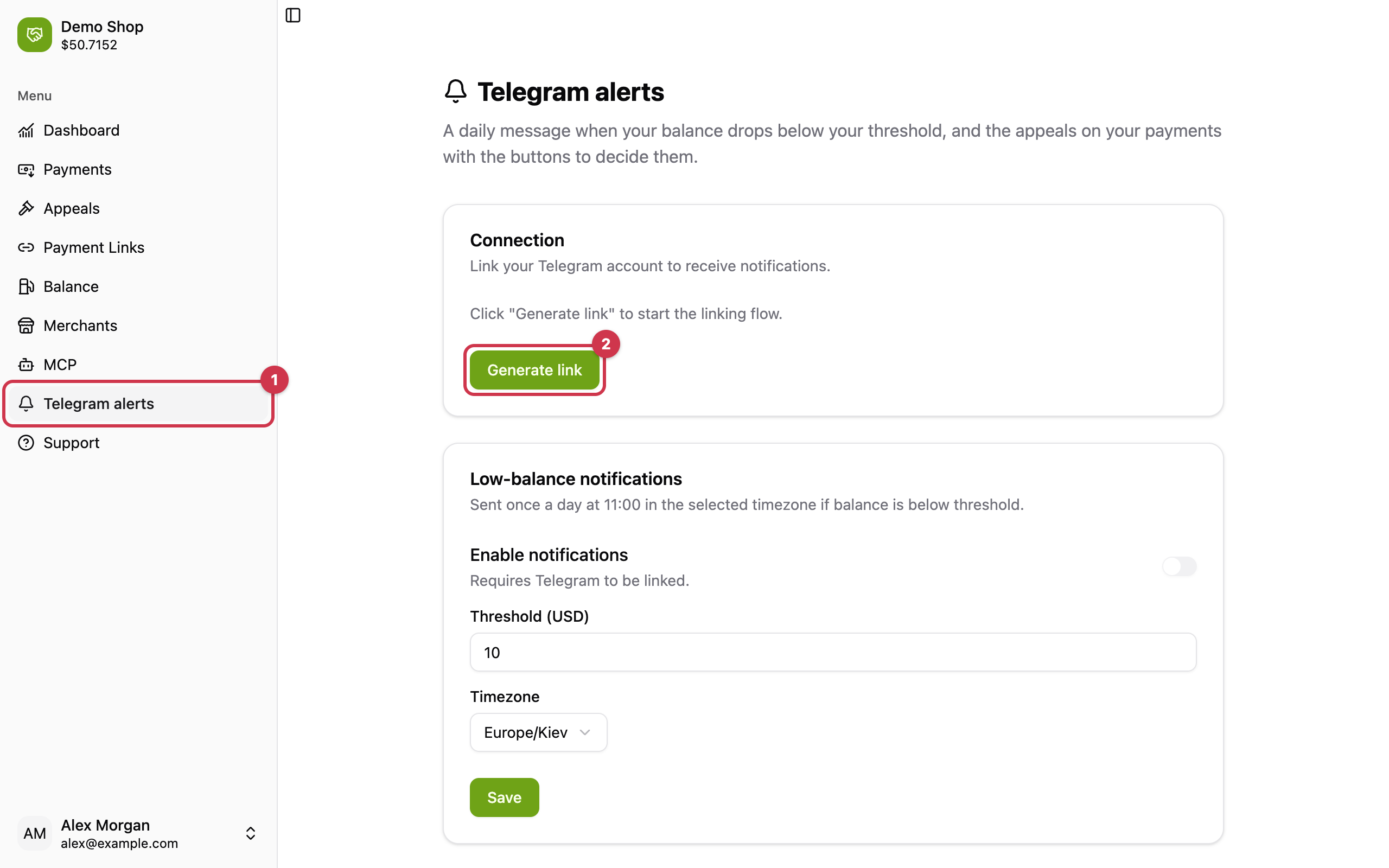
In the cabinet open Telegram alerts in the menu (1) and press Generate link (2).
2. Press Start in the bot
The cabinet opens the link in a new tab and waits for you. If the tab did not open, press Open (3) or copy the link to the device where Telegram is installed.
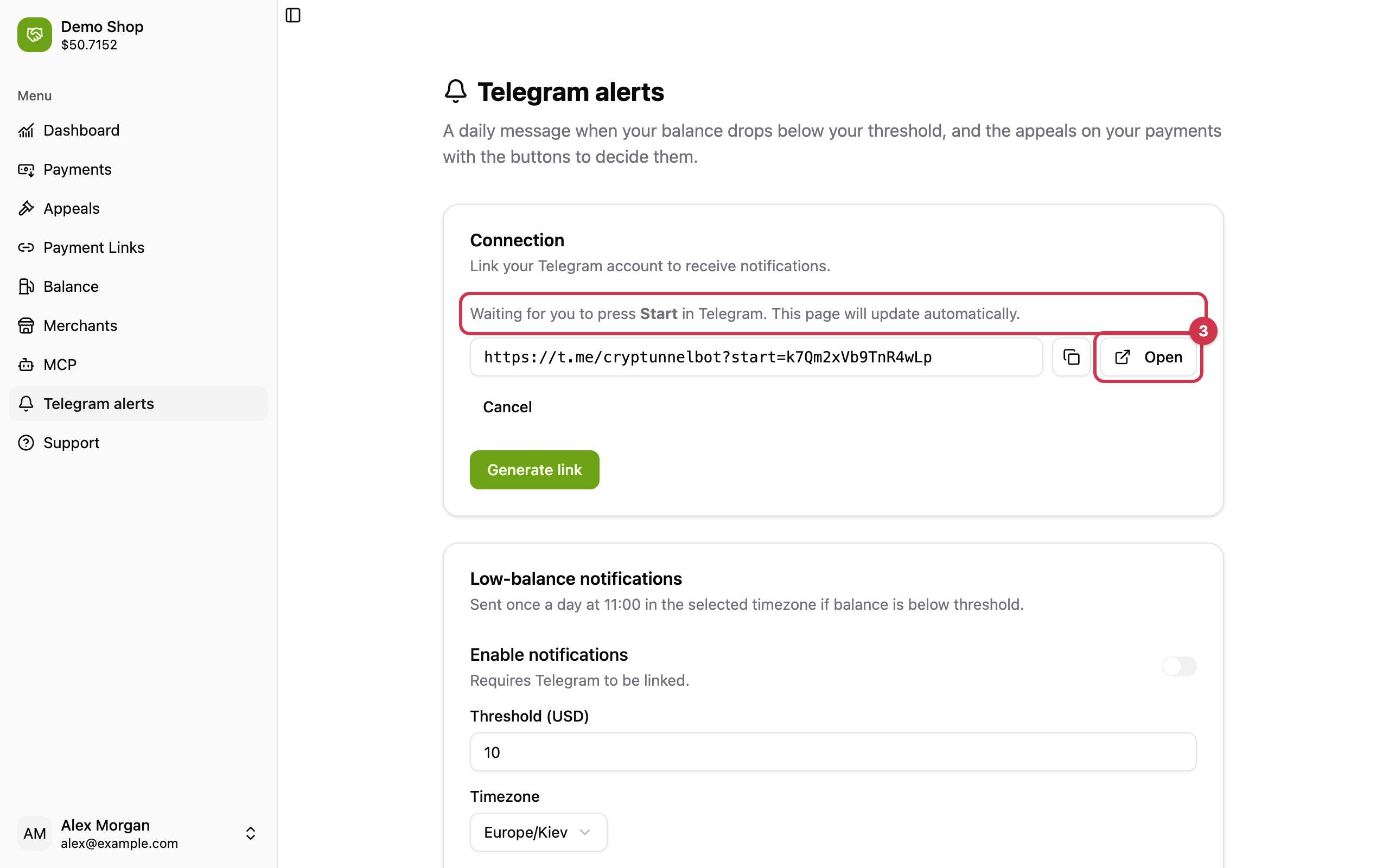
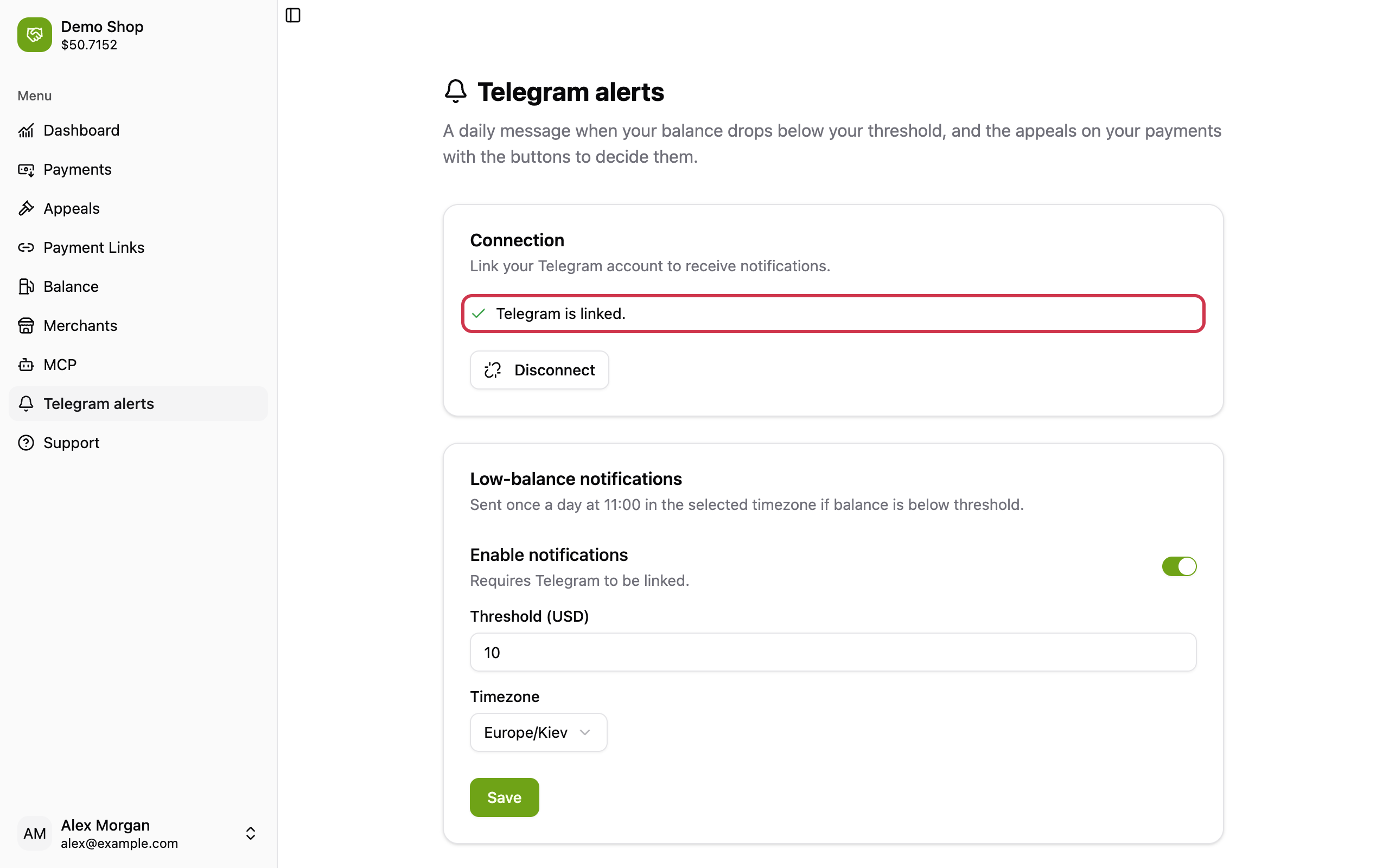
Telegram opens a chat with @cryptunnelbot. Press Start: the bot answers "Telegram is linked" and the cabinet page updates by itself.
The link is personal and valid for 24 hours. If the bot answers "This link is invalid or has expired", generate a new one. Every user of your account links their own Telegram - alerts go to each linked user who turned them on.
3. Turn on the alert
In the Low-balance notifications card:
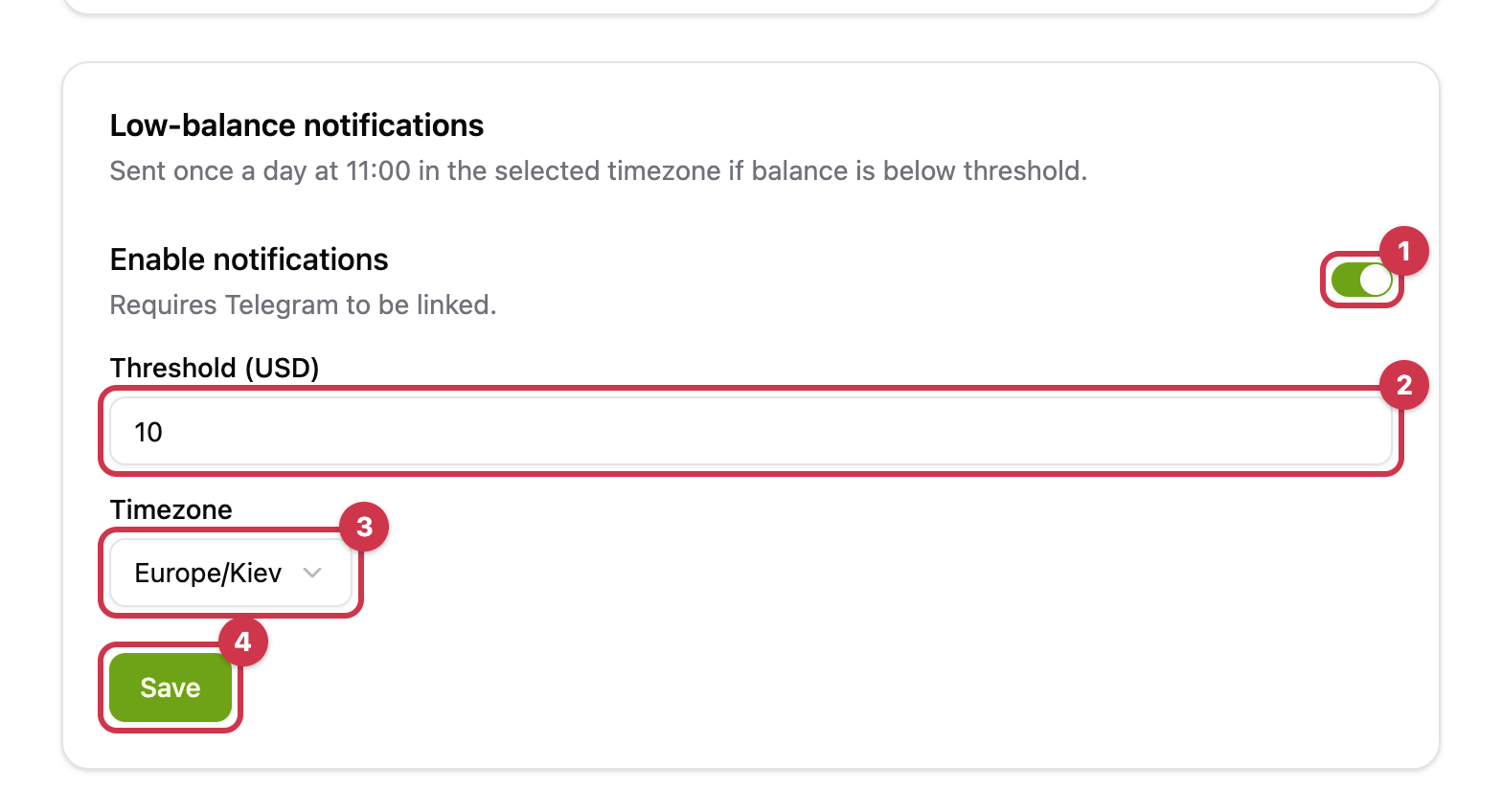
- Switch Enable notifications on.
- Set the Threshold (USD) - the alert comes while the balance is below it.
- Pick your Timezone - the alert comes at 11:00 in it.
- Press Save.
What arrives
Once a day at 11:00 in your timezone, while the balance stays below the threshold:
⚠️ Low balance alert
Current balance: 7.42 USD
Threshold: 10 USD

Quick top-up:
[ 50 USD ] [ 100 USD ] [ 200 USD ]
A top-up button creates a top-up payment and the bot sends you its payment page - pay it in crypto like any invoice and the balance is credited on confirmation. Above the threshold the bot stays silent.
To stop the alert, switch it off and press Save. Disconnect in the Connection card unlinks Telegram and stops every alert, including appeal alerts.
Updated 6 days ago