
Stablecoin amount precision
Cryptunnel matches a transfer to a payment by the amount that arrives at your wallet. When two buyers pay the same price to the same wallet at the same time, the amounts have to differ - so every checkout payment carries a small unique trace on top of the price. For USDT and USDC you choose how many decimals that amount has: 2, 4 or 6.
The trace lands in your wallet together with the payment. Fewer decimals make the amount easier to type by hand; more decimals make the buyer's extra smaller.
How the amount is built
The invoice price is converted to the coin at the live rate, cut down to the chosen number of decimals, and then 1 to 99 units of the last decimal are added. For a 25 USD invoice at a rate of 1.0003 USDT per USD:
| Decimals | Price in USDT | Trace | The buyer sends | Extra on top of the price |
|---|---|---|---|---|
| 2 | 25.00 | 0.01 - 0.99 | e.g. 25.37 | up to 0.99 USDT |
| 4 (default) | 25.0075 | 0.0001 - 0.0099 | e.g. 25.0112 | up to 0.0099 USDT |
| 6 | 25.007500 | 0.000001 - 0.000099 | e.g. 25.007537 | up to 0.000099 USDT |
Every setting gives 99 different totals for one price on one wallet. The trace skips the totals that pending payments and payments failed in the last 48 hours on that wallet already expect, so two payments wait for the same amount only when all 99 are taken.
Other coins - TRX, ETH and the rest - are not affected: their trace is 0.1 to 0.99 cent of the invoice currency at the current rate, at the coin's own precision.
Which one to pick
- 2 decimals - your buyers type the amount by hand, from an exchange or a mobile wallet, and lose payments by rounding
25.0112to25.01. The amount reads like a price, and the buyer pays up to 0.99 USDT more. - 4 decimals - the default. The extra is below a cent; buyers who copy the amount or scan the QR code never notice it.
- 6 decimals - the extra is negligible even on large volumes, but the amount is long and hard to type.
A buyer who sends a different amount - rounded, short or with the exchange fee taken out of it - does not match the payment, and it turns failed. The buyer can still fix it with the transaction hash, and an underpayment tolerance helps you decide such appeals.
Change the precision
Open the merchant on the Merchants page of the cabinet and stay on the Edit tab. The Stablecoin amount precision card is at the bottom: open the Decimals list (1) - each option shows how an amount looks with it.
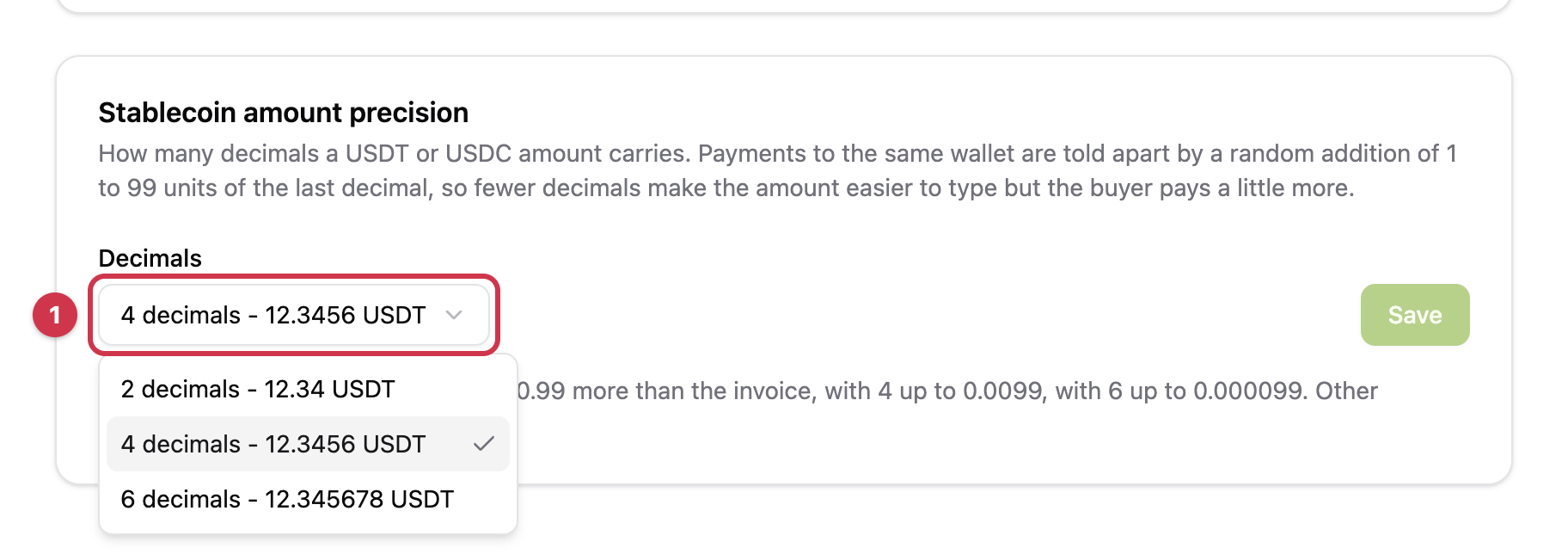
Pick the option (1) and press Save (2).
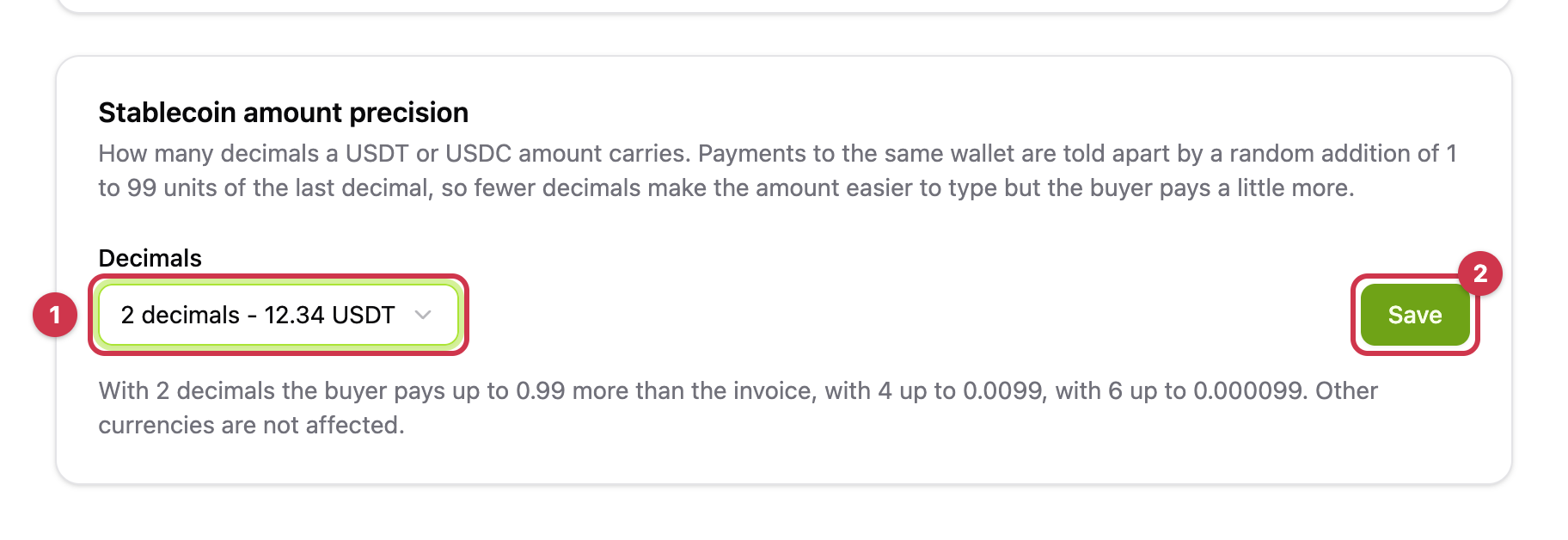
The setting applies to payments whose currency is picked after you save; payments already waiting keep their amount.
Where it applies
- Widget payments and payment links - always: the checkout page adds the trace to every payment.
- H2H payments - when you create them with
auto_trace: true(see H2H integration). Without it the amount is the plain converted price at the chosen precision.
The amount with the trace is what the buyer is asked to send: it comes back as amount in the H2H response, in GET /v1/payments/{id} and in the webhook.
Updated 5 days ago